Up and running in under 10 minutes
Four steps, most of them on a laptop with a cup of tea. After that the board runs itself and you only go back in when something changes.
Make an account
Sign up at familyboard.app. There's no card to enter and the 30-day trial starts straight away. Tell it roughly where you live so the clock and the weather are right for you.
Add everyone
A name, a colour and a photo for each person, plus a points target if you're using them. Connect Outlook or Google and the calendar fills itself in. Put in the jobs that come round every week and whatever you're aiming at this month.
Point a tablet at it
Open home.familyboard.app on any tablet or spare screen, sign in with the same account, and give the device a name. Turn on guided access or kiosk mode so the board stays put when somebody prods it.
Leave it running
After that it looks after itself. Events, weather, goals and points all refresh on their own. Tap someone's card to change their score, and if you've set a parent PIN it will ask for that first.
How it looks in the kitchen
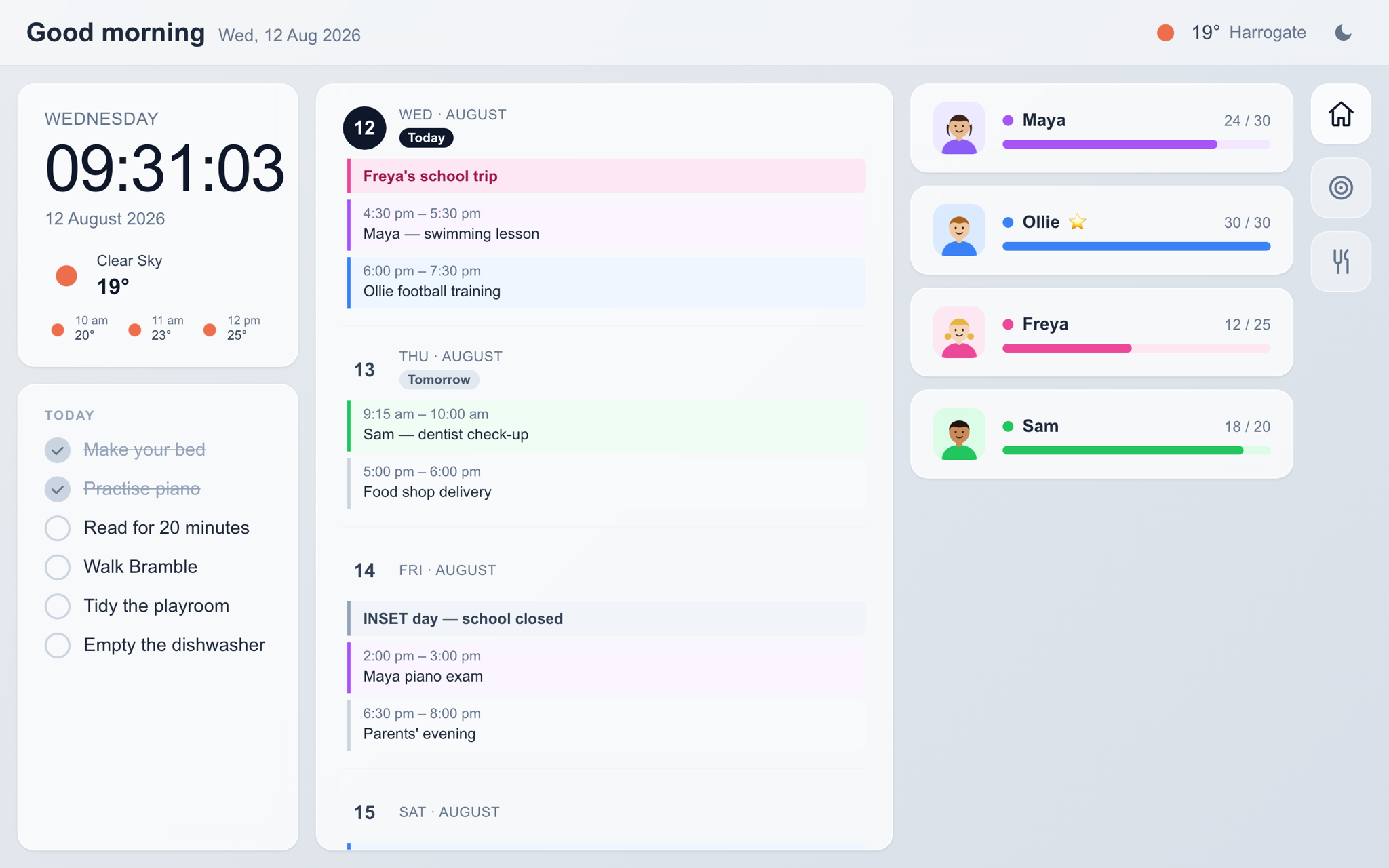
Landscape, big type, and no menus to go hunting through. Clock and weather on the left, the next few weeks down the middle, everyone's progress on the right.
Everyone can see where they are
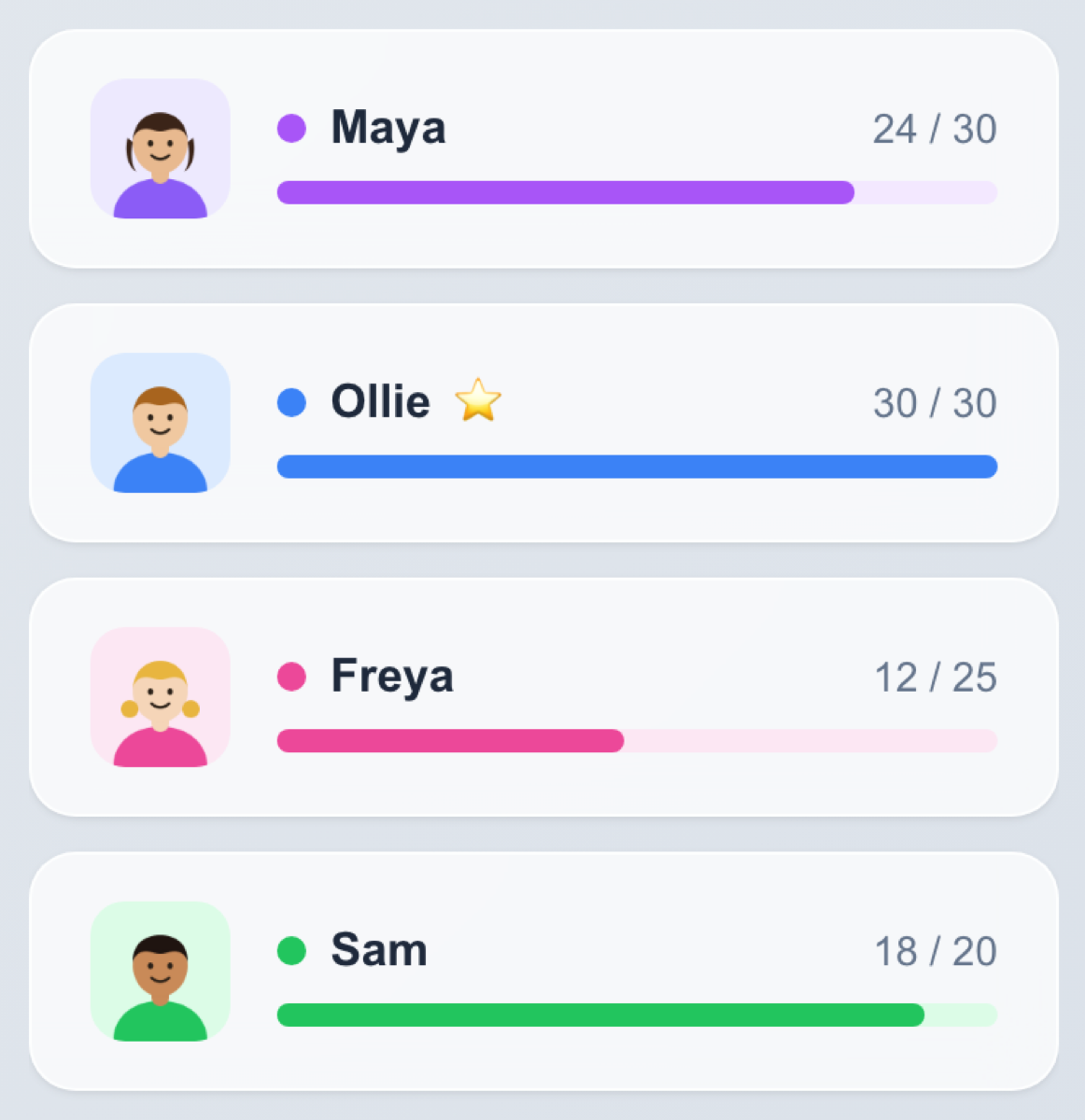
Each person gets a card in their own colour with a bar that fills as they go. Hit the target and a star appears next to the name, which turns out to matter quite a lot if you are seven.
Points can count up or down, so the same thing works for pocket money, screen time, or a chart on the fridge that nobody has updated since March.
The bigger stuff, in two columns
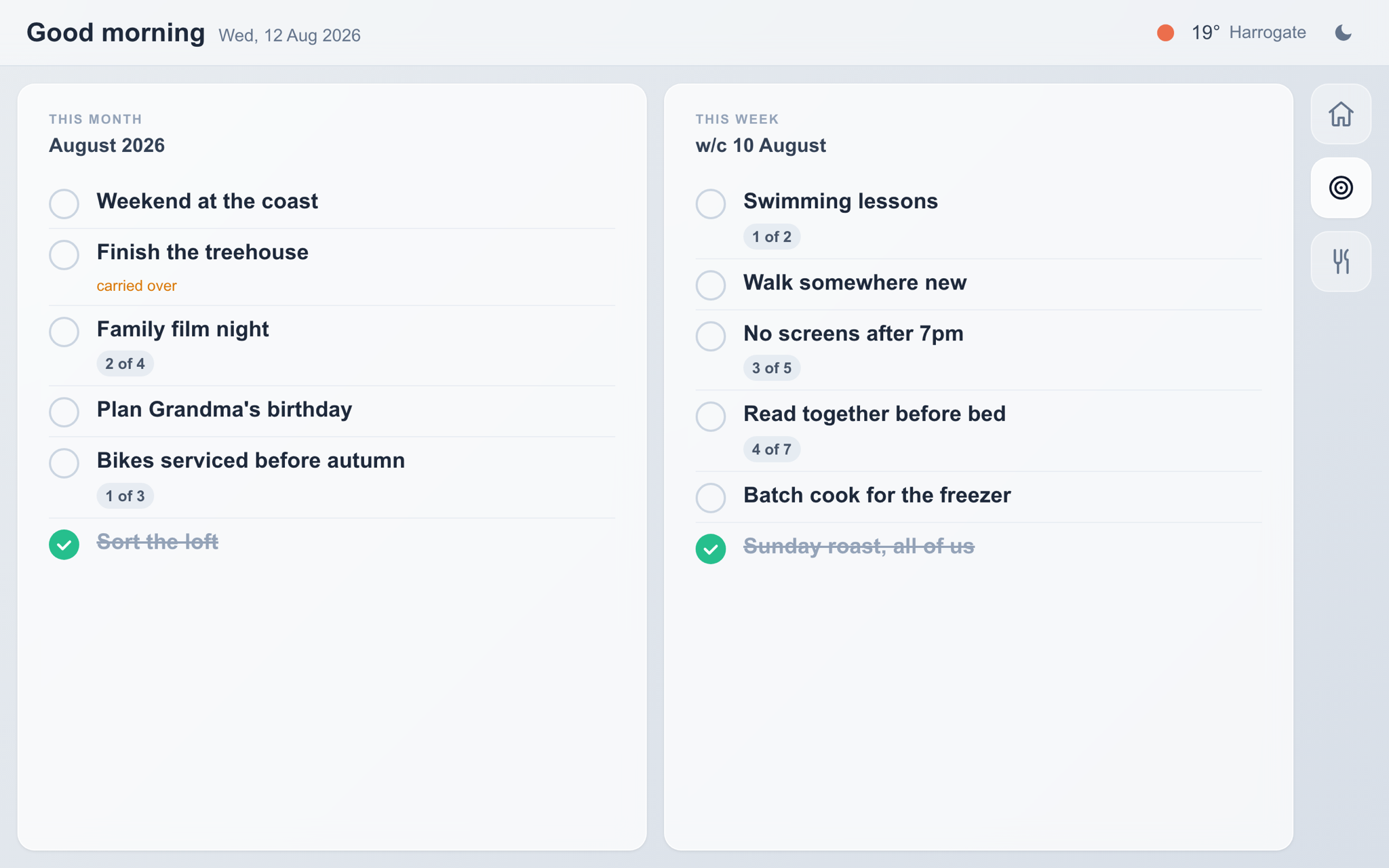
A weekend away, finishing the treehouse, four film nights before the month is out. Goals can have a count against them, so "swimming lessons" sits there as 1 of 2 until it's done.
Anything you don't get to rolls over into next month and gets marked as carried over, rather than quietly vanishing the way a note on the fridge does.
Your recipes, where you cook
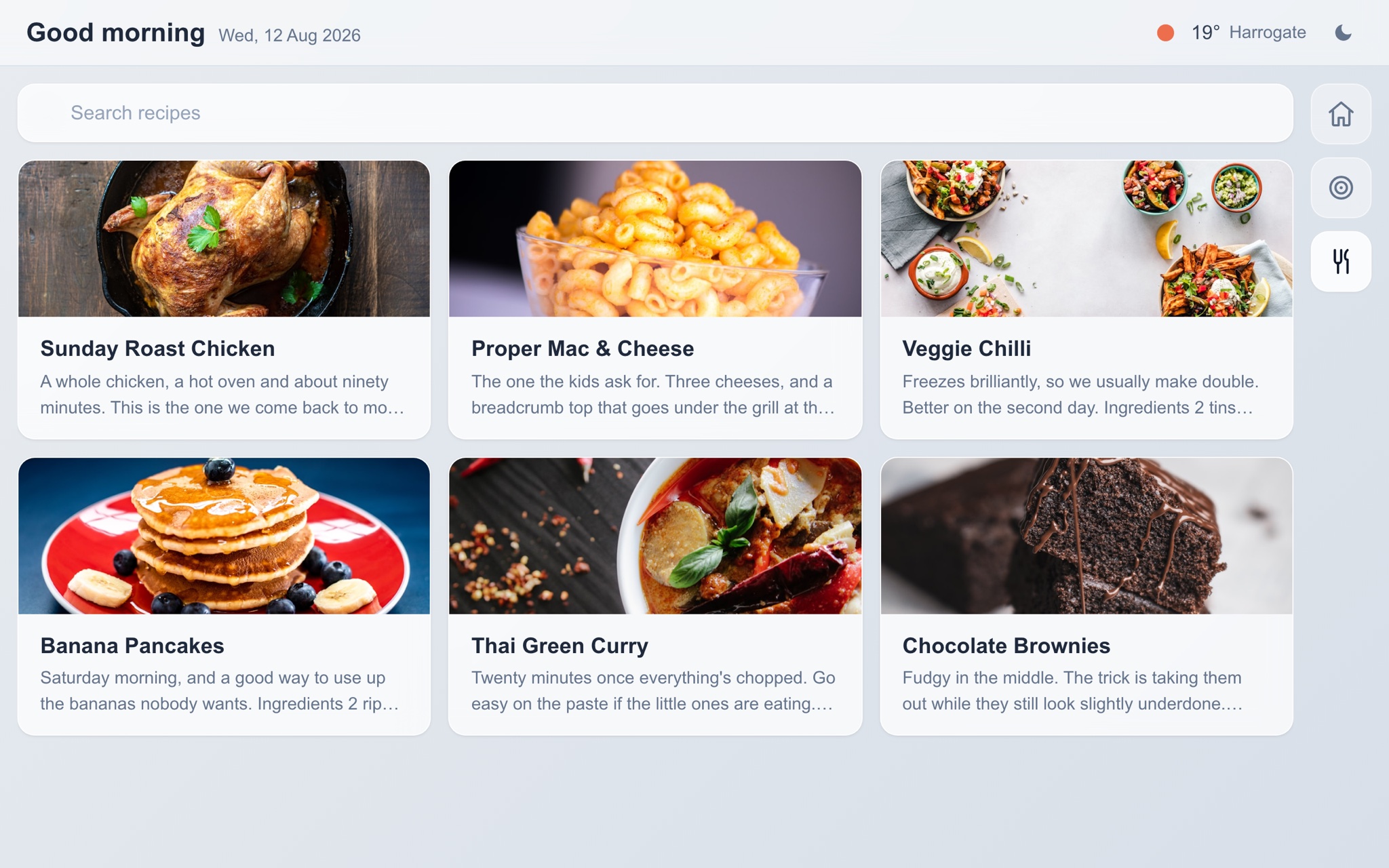
Type them in once, add your own photos, and they're there on the tablet with a search box. No adverts, no scrolling past someone's holiday story to reach the ingredients.
The text is set large enough to read from a step back, and the screen stays awake while you're cooking.