Put the family week on the wall
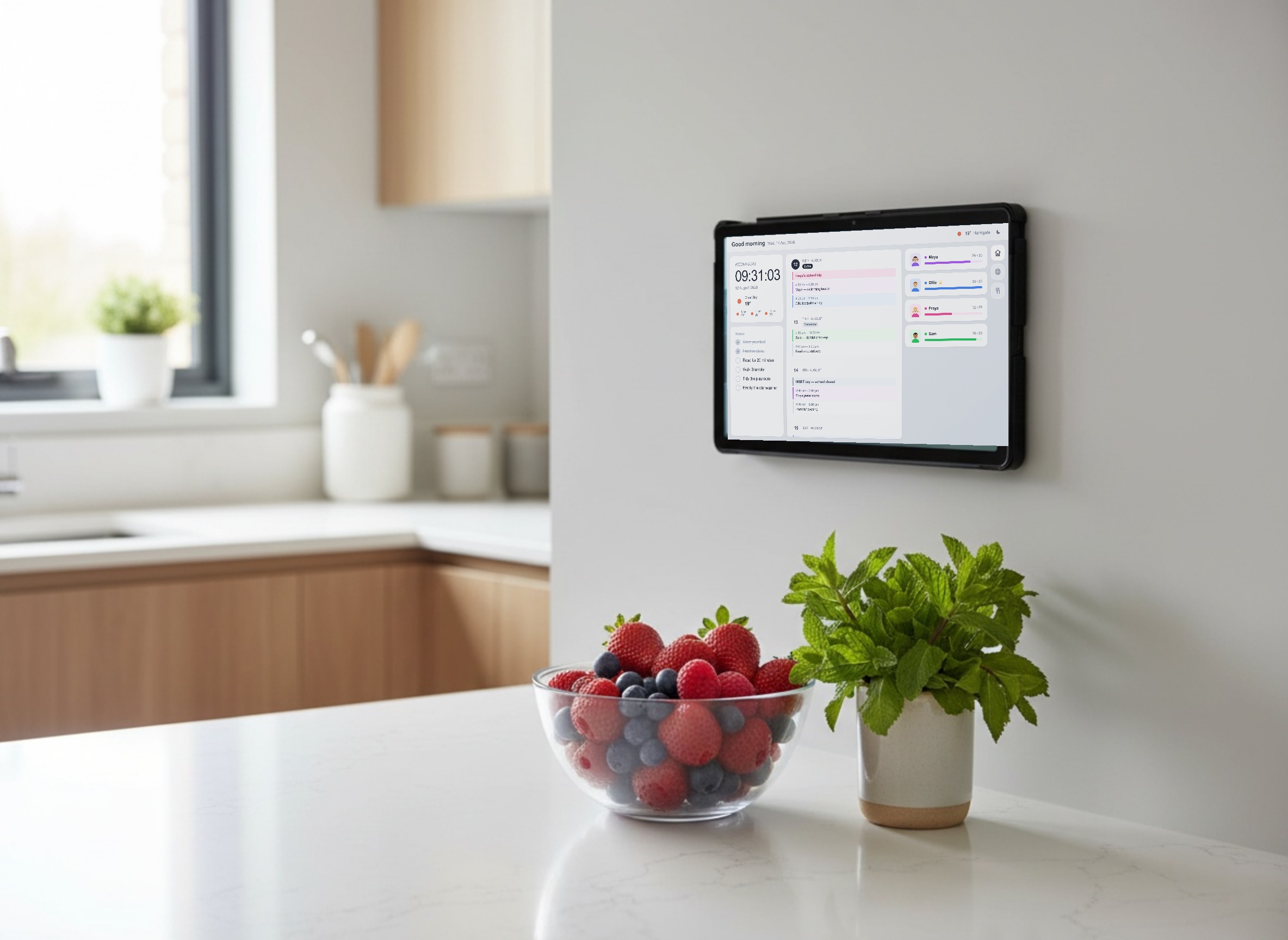
Family Board turns a spare tablet into the screen everyone checks on the way past. Calendars, the day's jobs, the goals you set together and your own recipes, all on at once.
What's on the board
One screen with the calendar, the jobs, the goals and the recipes on it. Set it up once from your laptop and then mostly forget about it.
Outlook and Google calendars
Connect either one, or both. Events land on the board together, colour-coded to whoever they belong to, so you can see the week without opening a phone.
Today's list
The jobs that come round again — beds, reading, walking the dog. Set which days each one appears and tick them off on the tablet as they get done.
Points that add up
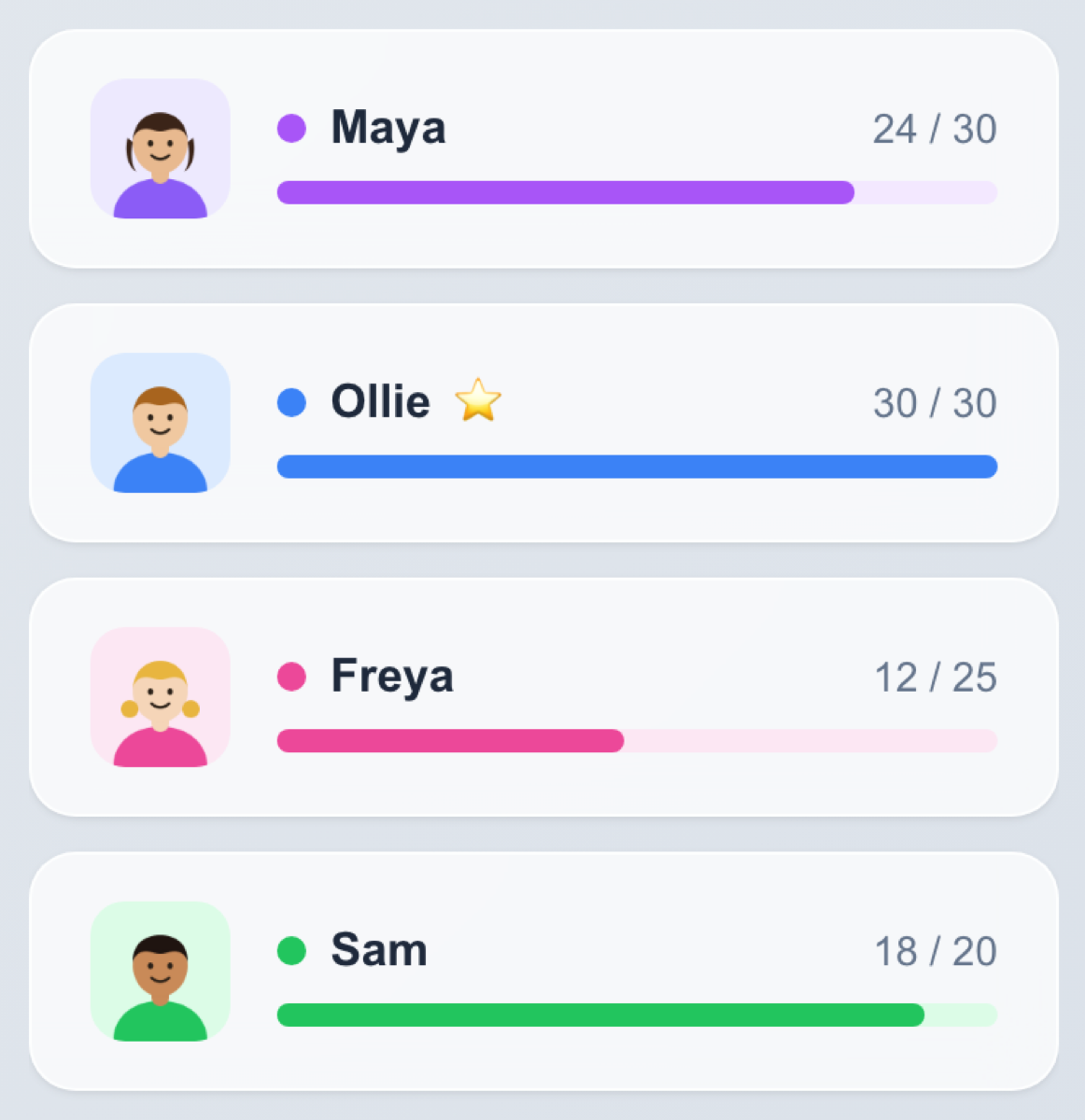
Give everyone a target and watch the bar fill. Points can count up or down, so it works for pocket money, screen time, or whatever you're keeping track of.
Weekly and monthly goals
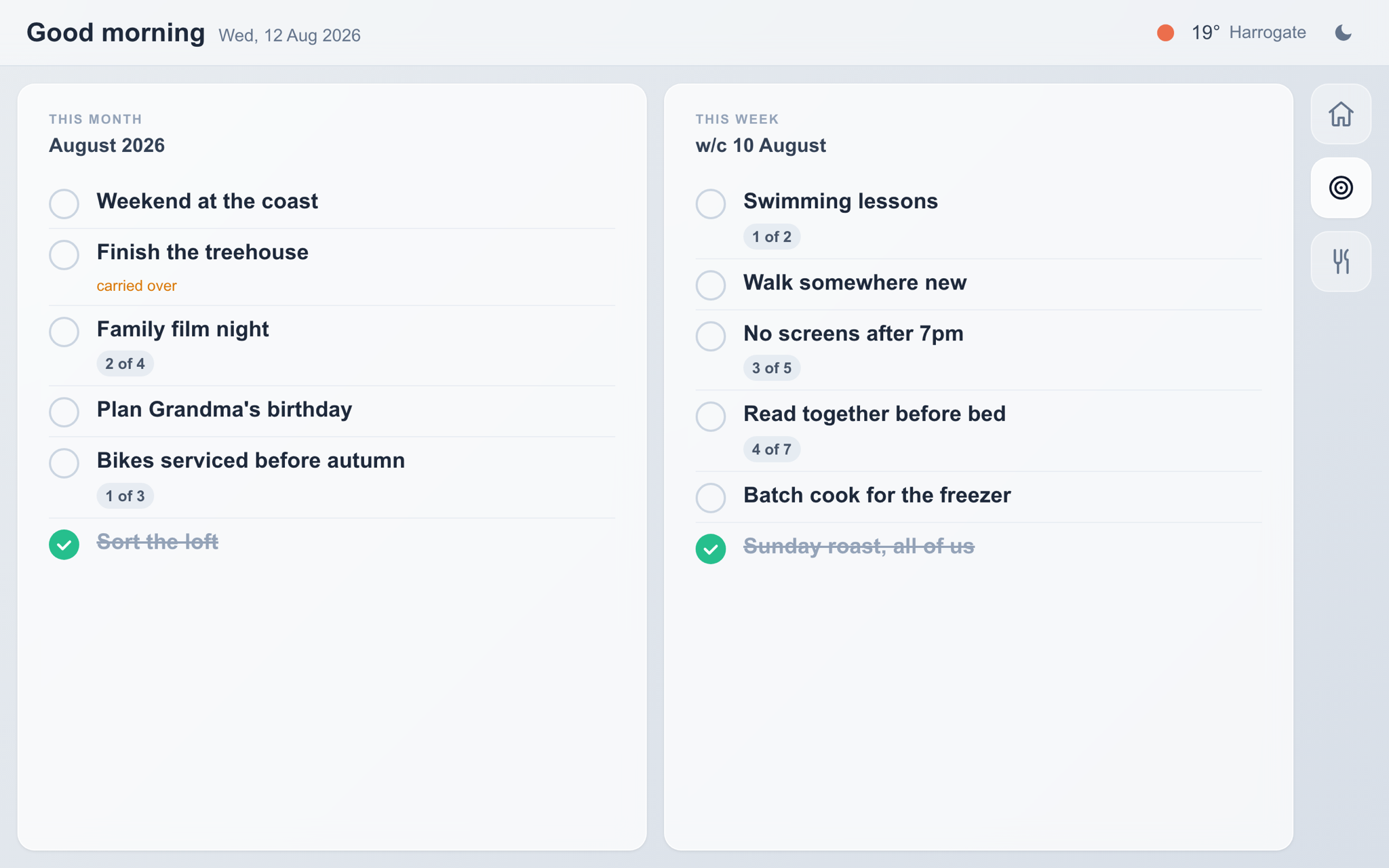
The bigger things — a day out, finishing the treehouse, a night off. Anything you don't get to rolls over to next month instead of quietly disappearing.
Family recipe book
Your recipes with your photos, searchable from the kitchen. No more scrolling past someone's life story to find out how long the chicken goes in for.
Weather and time
The clock, today's conditions, and what the next few hours look like. Enough to know whether anyone needs a coat before they leave.
A profile for everyone
Each person gets a card with their photo, their colour, and their own target. Upload a picture and crop it right there in the browser.
Parent PIN
Set a PIN and the board asks for it before anyone changes their own points. Handy once the kids work out how the scoring works.
As many screens as you like
Kitchen, hallway, landing — add as many tablets as you want on one account. They all show the same board and update together.
Light and dark
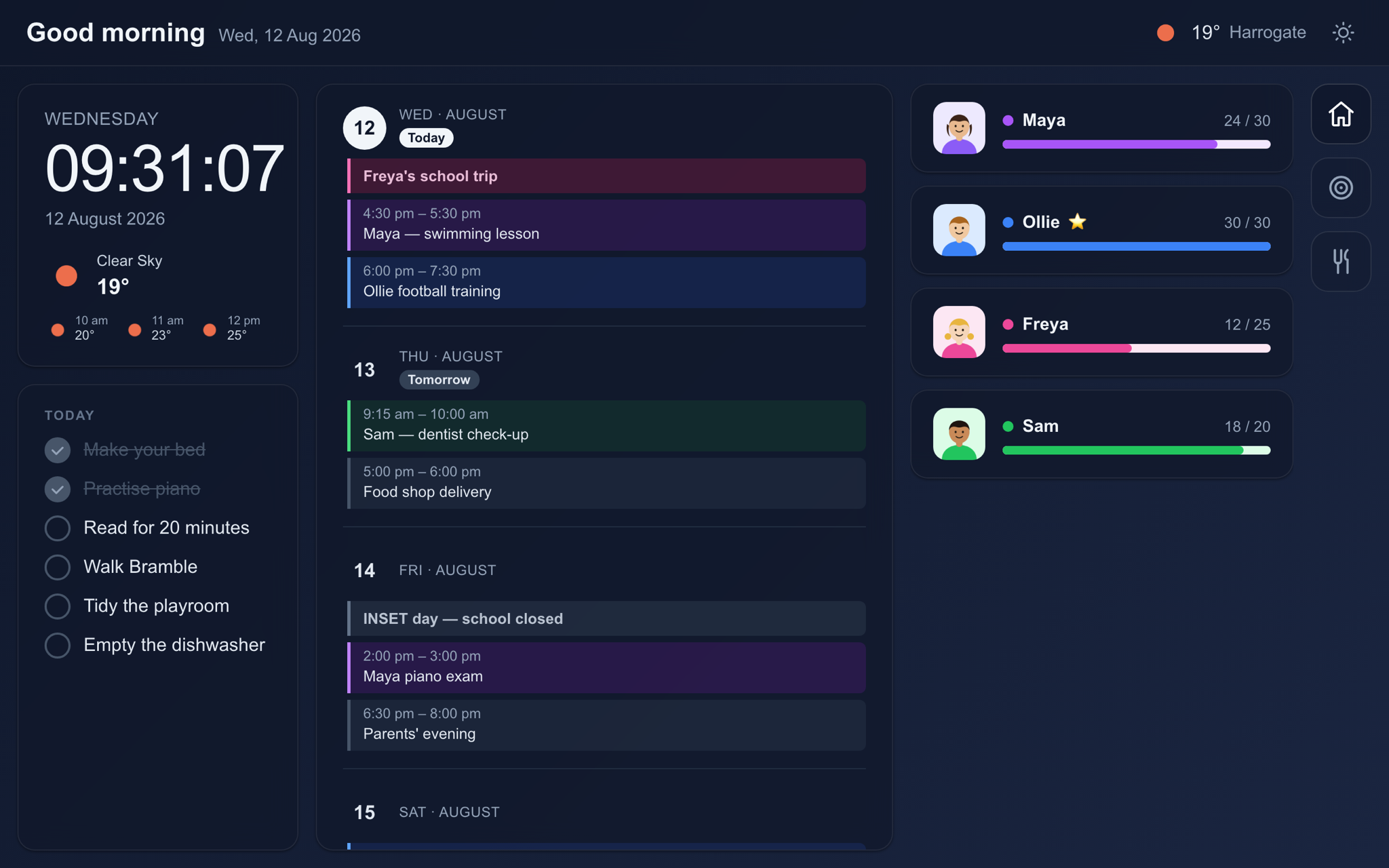
Tap the moon and the board switches to dark. It remembers, which matters when the screen lives somewhere you walk past at night.
Your own background
Put a family photo behind the board. The cards stay readable over the top, so it looks like something you chose rather than something you installed.
Built for the wall
A landscape layout with big type, made to be read from across the room. It fills the screen and stays put — no scrolling, no menus to find.
A family dashboard for the kitchen wall
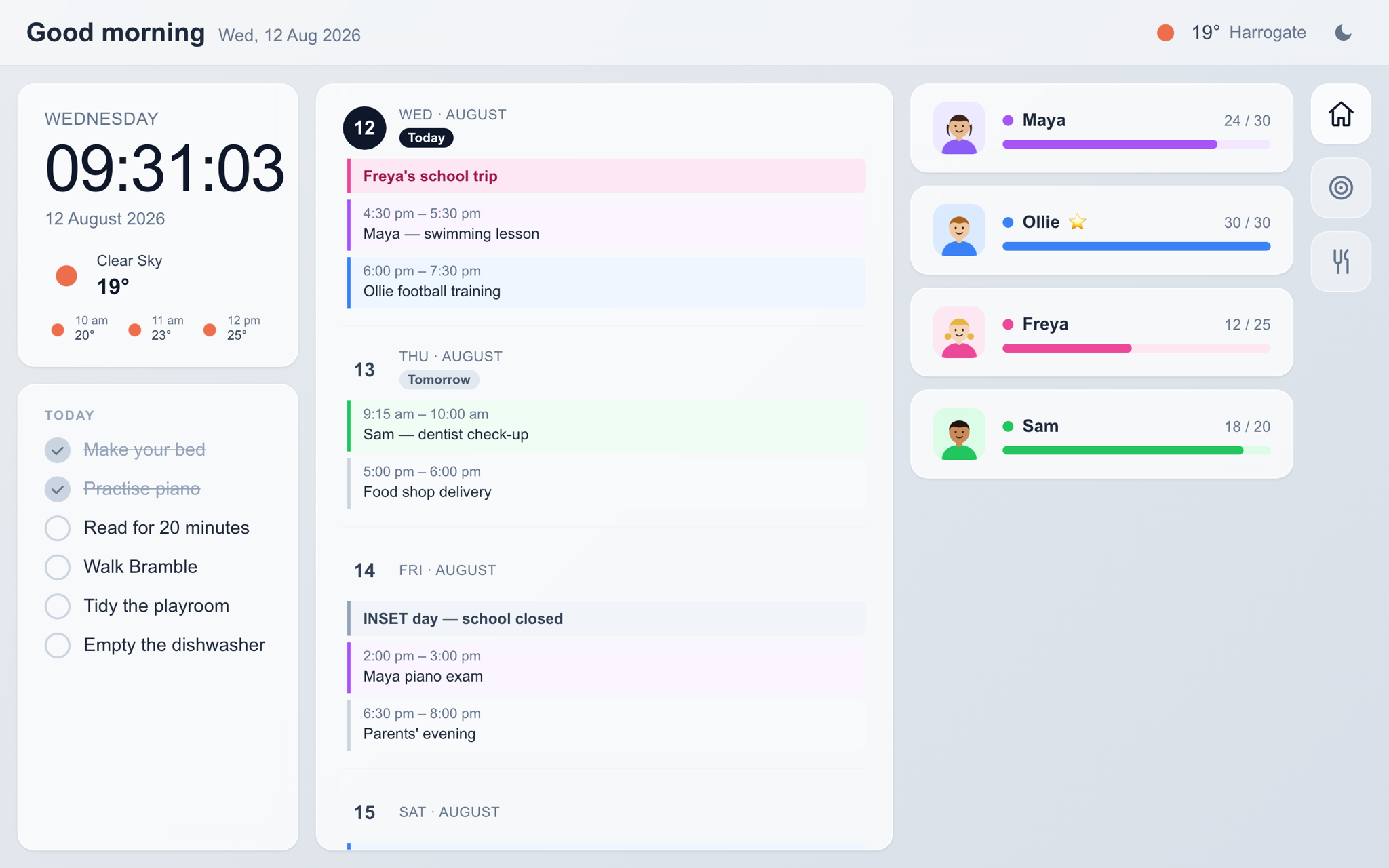
This is the whole week on one screen, as it looks on a tablet in the kitchen. Clock and weather on the left, the calendar down the middle, everyone's progress on the right.
Dark from dusk
One tap and the whole board goes dark. It stays that way until someone changes it back.
This week, this month
Bigger plans in two columns. Anything left undone at the end of the month carries over on its own.
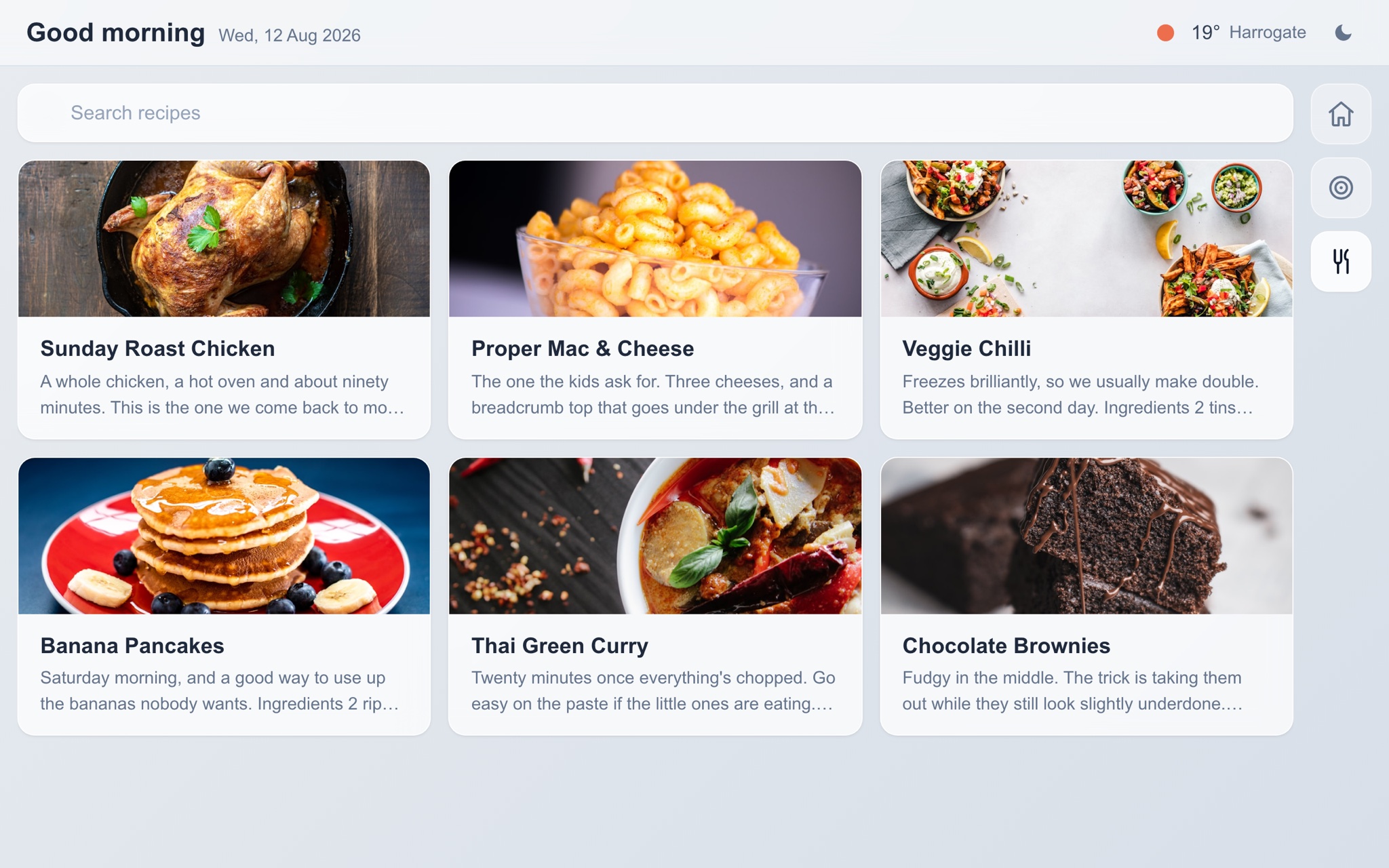
The recipe book
Everything you actually cook, with photos, and a search box for when you can't remember what it was called.
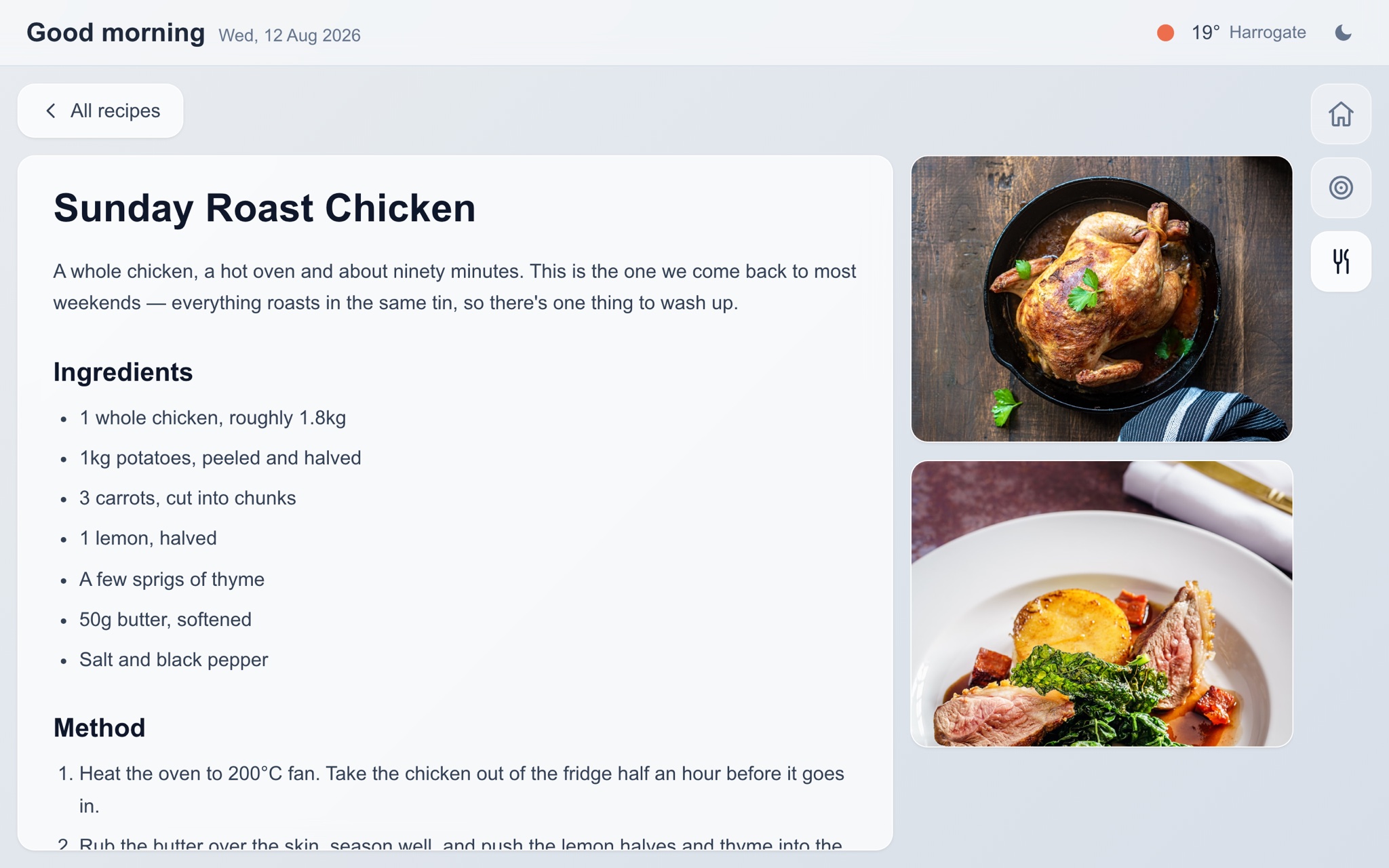
Open on the counter
Big enough to read while your hands are covered in flour, and it doesn't go to sleep halfway through.
New to the idea? Read what a family dashboard is and what people put on one.
What changes once it's up
It is a calendar, but the useful part is that it is always on and at eye level. Everyone walks past it a dozen times a day, so nobody has to go looking for anything.
One price, one family
Everything below is included from day one. No add-ons, and no charge for putting the board on a second or third screen.
Standard
Perfect for most families
Stick it on the wall and see
You get a month to find out whether it earns its place. Set it up on a laptop in about ten minutes, point a tablet at it, and leave it running.
30-day free trial • No credit card required • Cancel anytime